Home

Drake: Legacy Desktop Tax

Modernizing a workhorse desktop app without disrupting the people who depend on it.

My role Led UX design for targeted legacy-to-modernization improvements, partnering with engineering and product to clarify requirements, produce UI recommendations, and validate direction quickly
Scope Product + engineering + support lead input | Migration workstream | Legacy desktop screens, Power Basic to C# modernization, high-friction workflows and error-prone data entry
Challenges Minimal upfront requirements, legacy desktop constraints, and an active migration from Power Basic to C# with a need to avoid disruption for a highly trained user base
Impact Reduced user confusion on high-friction screens, improved workflow clarity, and supported Support call reduction by modernizing patterns and tightening information presentation
Skills Legacy modernization UX, interaction design for desktop constraints, information simplification, rapid validation, pragmatic UX writing, partnering with engineering through migration work

Drake's legacy desktop product was mid-migration from Power Basic to C# when I joined the effort. That transition created a practical opportunity: rather than simply porting existing screens, we could address longstanding usability problems at the same time.

Requirements often came in thin, so I worked quickly to clarify intent with the engineering lead, then focused redesign efforts on the screens most likely to reduce support calls. The goal was to simplify data presentation and task flows in ways that felt like a natural evolution to a user base that knew the product deeply and didn't welcome disruption.

Key decisions Summary: prioritize support drivers, simplify hierarchy, make next actions explicit
Prioritize the screens driving support calls
DecisionFocused redesign effort on a short list of high friction screens consistently generating support demand
TradeoffDid not attempt broad modernization across the desktop product, kept scope tied to the highest impact areas
WhyTax season pressure and change aversion required targeted wins without disruption
ResultReduced support drivers in prioritized areas and improved clarity where users most often got stuck
Trade dense layouts for clear hierarchy and fewer mistakes
DecisionSimplified hierarchy and tightened layout so critical fields and actions were obvious at a glance
TradeoffReduced density in favor of scanability, accepting slightly more screen space usage
WhyDense presentation was contributing to mis-entries and missed procedural steps
ResultFewer procedural errors in walkthroughs and cleaner QA defect patterns by feature area
Make next actions explicit instead of implied
DecisionRedesigned screens to surface the next step and transition logic directly in the UI
TradeoffAdded small guidance cues rather than relying on legacy training assumptions
WhyUsers should not need tribal knowledge to complete critical flows under time pressure
ResultUsers could describe what to do next without prompting in quick internal validations
Outcomes Summary: lower support drivers, fewer mis-entries, clearer next steps
  • Support load — A cluster of high friction screens consistently generated support calls during tax season. Modernized the most problematic screens during the Power Basic to C# migration. Confirmed through support call driver review and guidance from the Drake support lead.
  • User error rate — Dense, poorly organized screens led to mis-entries and missed steps. Simplified hierarchy and tightened layout to make "what matters" obvious. Evidenced by internal walkthrough observations and QA defect patterns.
  • Workflow clarity — Next actions were implicit and users relied on prior training to proceed. Steps and transitions made explicit in redesigned screens. Confirmed through rapid internal validation sessions during sprint delivery.
What changed in the product
  • High friction screens redesigned with cleaner data presentation and clearer task structure
  • Legacy patterns replaced with C# equivalents that reduced clutter and surfaced next steps
How we measured

Support call driver review to identify target screens, followed by rapid internal prototype validation to confirm directional improvement before shipping

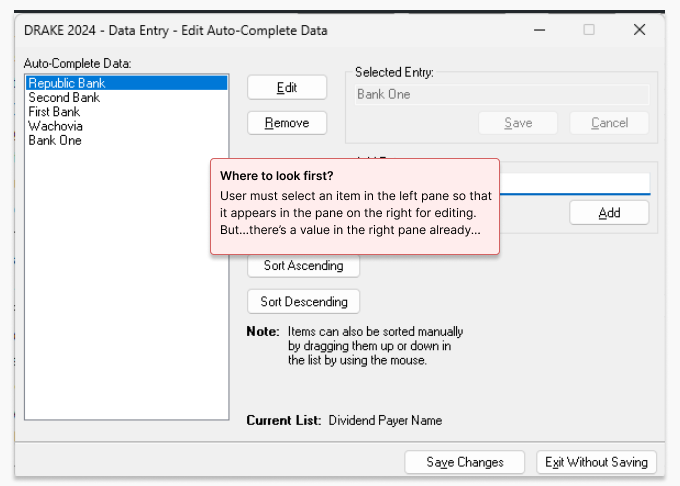
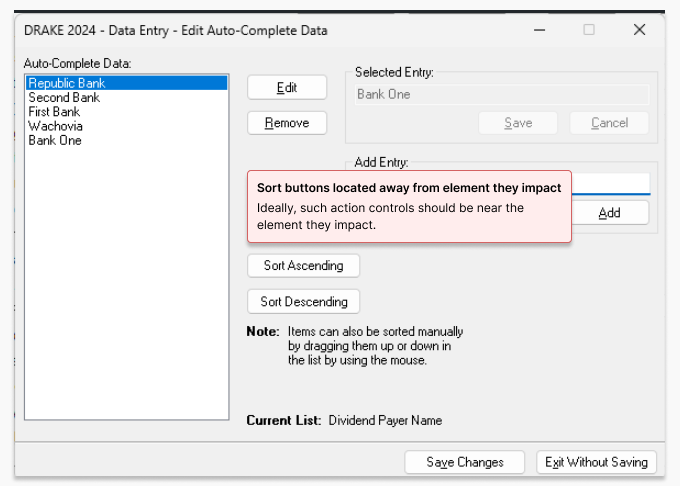
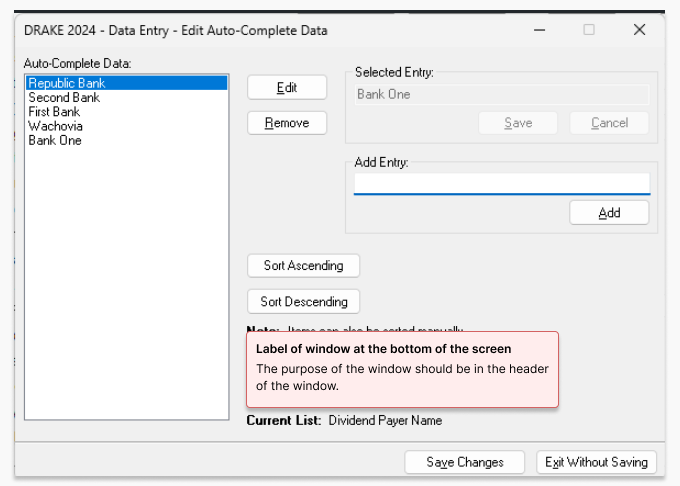
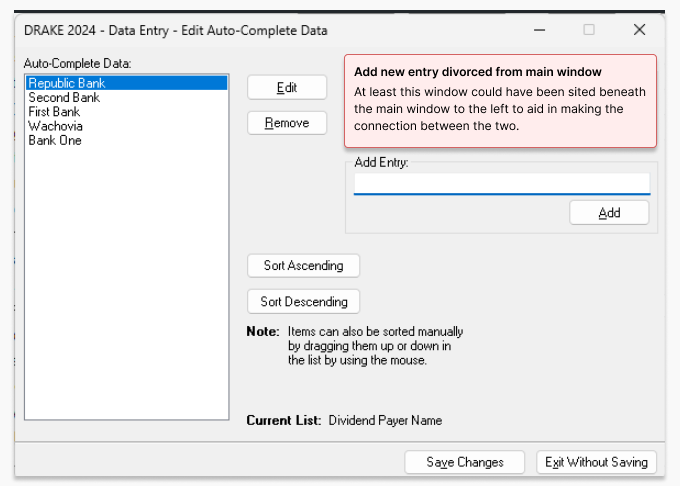
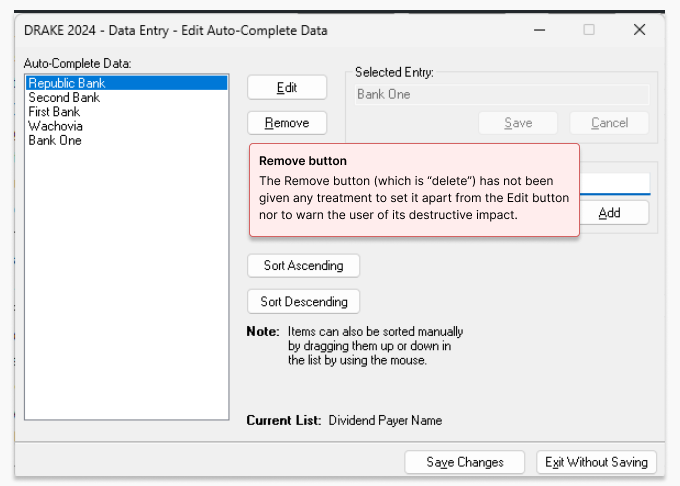
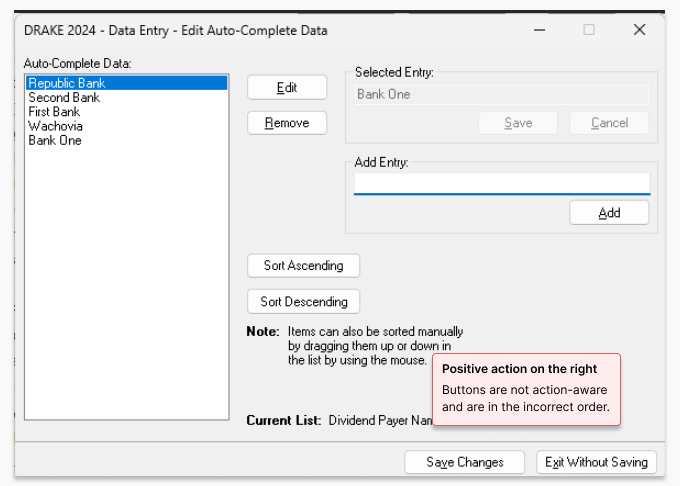
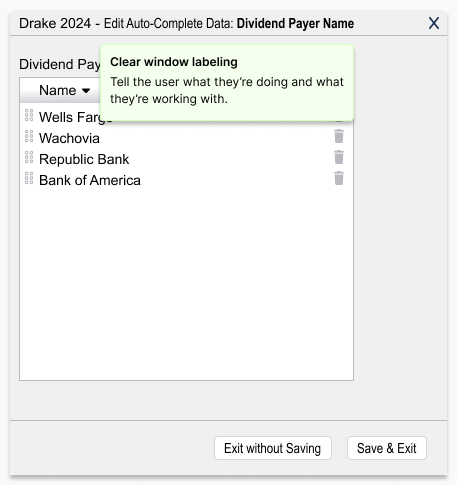
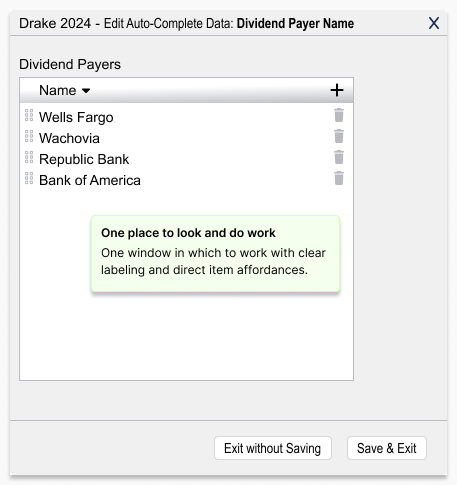
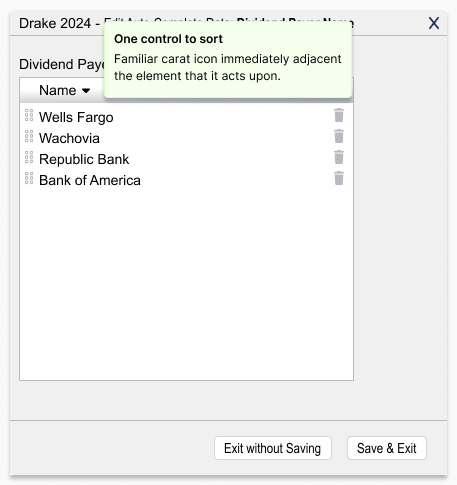
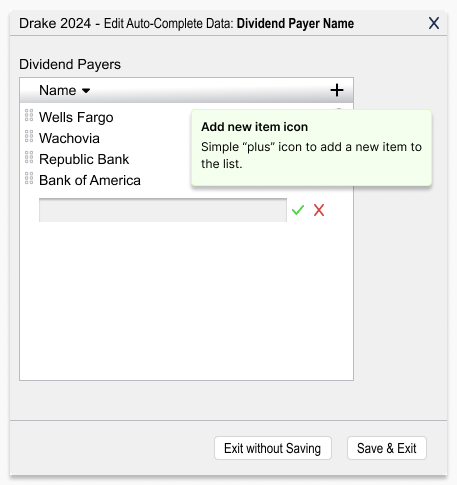
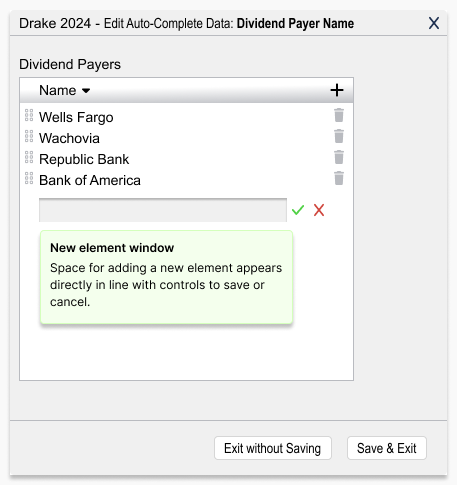
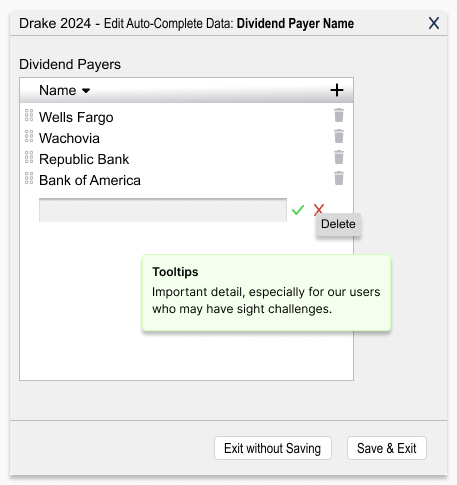
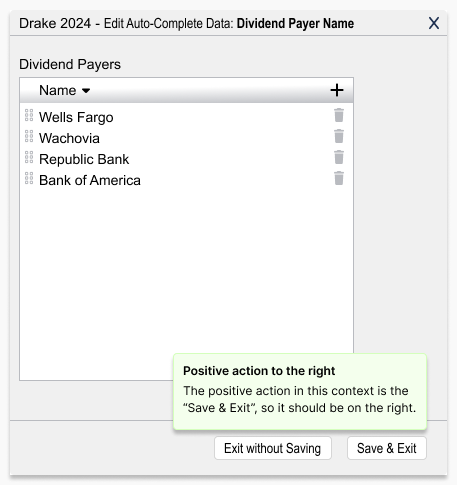
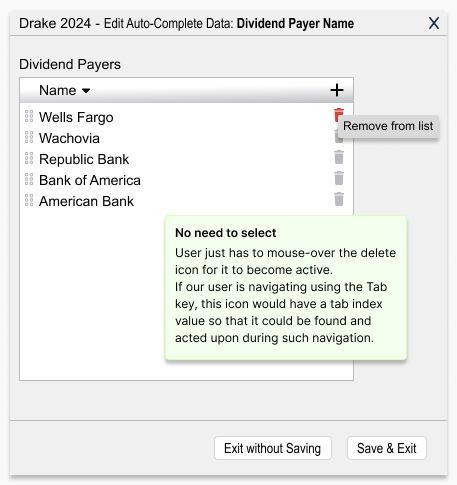
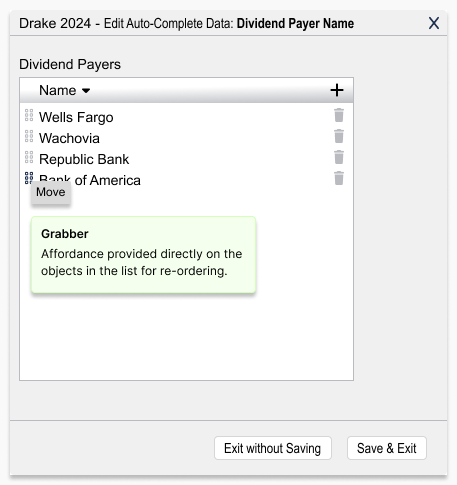
Below, I show the original screens with the issues called out, followed by my redesigned versions. When time allowed, I sanity-checked changes with quick prototype reviews with colleagues.

"Incremental improvements go a long way in helping to retain our dedicated user base."

— Drake Professional Product Team